The Midnight Routine That Quietly Destroys Your Tech Investments
A year ago, I was constantly frustrated because my brand-new phone couldn't even survive until my evening commute. I used to plug it in every night right next to my pillow, thinking I was being smart by waking up to a full tank. It took a costly trip to the repair shop for me to realize my cozy bedtime habit was quietly killing my battery.
Picture this exact scene happening in your bedroom tonight. You climb into bed after a long day, plug your phone into its fast charger, and drop it on your nightstand.
You fall asleep feeling peaceful because you expect a full battery when your alarm rings. But while you sleep deeply, your phone battery goes through constant electrical pressure for hours.
Have you noticed your phone dying long before dinnertime lately? You probably blamed an app update, age, or poor network signals.
The real culprit sits right next to your pillow every night. Plugs left active overnight force full capacity stress that slowly wears down lithium cells.
When your phone battery drains quickly, it affects your entire daily momentum. You worry about missing urgent client calls or family messages.
Carrying heavy power banks around feels like a constant burden. Replacing a degraded device early drains hard-earned money from your bank account unnecessarily.
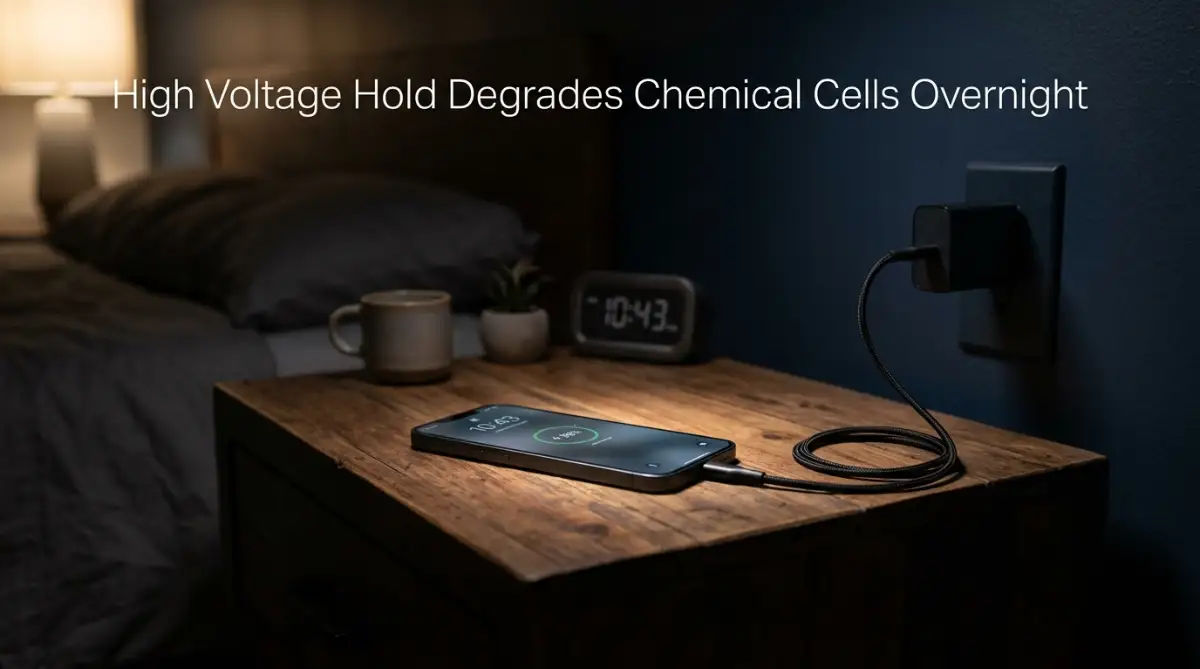
The Secret Chemistry: What Really Happens When You Sleep
Modern smartphones rely on rechargeable lithium-ion technology to stay thin and powerful. These cells store electrical power by pushing lithium ions between positive and negative internal plates.
When you drain your phone battery down, ions move toward the positive electrode. Charging forces those ions back to the negative side until capacity hits max level.
Keeping your phone connected to power after reaching maximum level creates sustained structural stress. Chemical energy wants balance, but constant electrical current pushes against that natural force.
Overnight Charging Impact Summary
The Hidden Enemy: High Voltage Stress at 100%
When your phone hits one hundred percent, your charger does not simply go silent. It keeps pushing electrical current to maintain that maximum power level continuously while you sleep.
This constant electrical push creates severe chemical pressure inside your battery cells all night long. Imagine holding a thick rubber band stretched to its absolute limit for eight hours straight without a single break.
Over time, that stretched rubber band loses its elasticity and snaps under simple daily use. Your phone battery suffers the exact same structural fatigue when forced to hold peak voltage night after night.
Heat Buildup Under Pillows and Covers
Many people charge their phones on blankets, mattresses, or right under pillows. Fabrics block heat release from your phone chassis during continuous power supply.
Heat accelerates chemical oxidation inside lithium battery components faster than room temperatures do. High internal temperatures combined with full charge voltage destroy internal materials double fast.
- Phase 1: Power Connected & Rapid Energy Supply
- Phase 2: Battery Reaches 100% Full Capacity
- Phase 3: Charger Holds High Voltage for Hours
- Phase 4: Heat Traps Inside Device Chassis
- Phase 5: Permanent Chemical Capacity Degradation
Expert Insight: Heat acts as the primary accelerator for battery health decay. Charging your phone inside a heavy protective case traps heat right against the aluminum housing, raising core temperatures significantly.
Fact Check: Busting Popular Myths About Overnight Power
Myth 1: Modern Phones Cut Off Power Completely
Reality: Phones cut off bulk current, but they continuously draw micro-currents. Every time background apps sync, charge drops slightly and pulls immediate power bursts again.
Myth 2: You Must Drain Your Battery to Zero
Reality: Draining down to absolute zero creates massive mechanical stress on modern lithium cells. Deep discharge cycles shorten lifespan far faster than mid-range top-ups.
Myth 3: Fast Chargers Always Ruin Long-Term Capacity
Reality: Fast chargers adjust speed dynamic ranges automatically today. The real danger remains leaving fast chargers connected for extended periods at maximum capacity.
Simple Smart Solutions You Can Start Applying Tonight
Fixing your daily charging habits does not require complicated technical knowledge or expensive tools. You can take control of your device health right now with simple daily adjustments.
Adopt the 80/20 Power Golden Rule
Here is a quick lesson I learned the hard way: I used to charge my phone inside its thick rubber case on my mattress every single night. Once I started taking the case off and unplugging around 80%, my battery health stopped dropping almost overnight. Trust me, keeping your device cool on a hard wooden surface makes a massive difference.
Try keeping your daily phone charge between twenty percent and eighty percent. This mid-range window keeps internal chemical ions stable without putting stress on plates.
Plugging in when your device hits twenty percent prevents deep voltage drops. Unplugging around eighty percent avoids high voltage heat buildup entirely.
Enable Native Battery Protection Settings
Modern phone software includes built-in settings designed to protect cell lifespan. Look inside your device power settings for optimized charging or battery protection options.
These settings learn your daily wakeup schedule using smart background routines. They hold your charge at eighty percent through the night and finish just before you wake up.
Use Smart Timers or Smart Plugs
If you must charge while sleeping, plug your charger into an inexpensive wall timer. Set the timer to turn power on one hour before your morning alarm rings.
This simple hardware tweak ensures your phone charges quickly right when needed. You avoid leaving your phone sitting at full charge for six wasted hours every single night.
Keep Your Phone Cool During Charging
Remove thick protective rubber cases before connecting your phone to high-wattage power adapters. Place your device on a cool hard surface like a glass or wooden desk.
Never rest a charging device on soft furniture, beds, or under thick blankets. Free airflow keeps operating temperatures low, preserving internal chemical components for years to come.
Frequently Asked Questions
Does overnight charging cause safety hazards or fires?
Modern smartphones contain safety circuits that prevent catastrophic short circuits under normal conditions. However, charging on soft beds with damaged third-party cables increases thermal runaway risks dramatically.
Is it okay to leave my phone plugged in during work hours?
Leaving your phone connected to a charger all day keeps voltage at maximum levels. Unplug your device once it reaches adequate charge levels to avoid continuous strain.
How many full cycles does a standard phone battery last?
Most modern lithium-ion phone batteries last around five hundred full charge cycles. After that threshold, total energy capacity drops down below eighty percent of original performance.
Action Plan for Maximum Battery Health
- Open your phone settings menu today and activate native battery protection options.
- Remove heavy protective cases during charging sessions to let heat dissipate safely.
- Keep your daily charging window strictly between twenty percent and eighty percent capacity.
- Swap soft bed surfaces for a hard, cool nightstand top away from pillows.
Master-Level Strategies to Double Your Device Battery Lifespan
Taking control of your smartphone health goes beyond simply unplugging your cord before sleeping. Once you understand how lithium chemistry operates under electrical strain, you can unlock simple, advanced habits.
These expert techniques protect internal cell capacity and keep your phone running like new for years. You do not need deep technical skills to implement these methods during your regular daily routine.
Battery Cell Pressure vs. Capacity Performance
Unlocking Automated Power Cutoffs With Custom Routines
Modern phone operating systems include powerful automation tools that many users completely overlook. You can set up smart triggers that automatically pause incoming power when battery levels touch your target threshold.
For instance, you can program a simple routine that turns off smart wall outlets once your phone battery hits eighty percent. This creates a hard physical barrier that prevents continuous overnight electrical exposure completely.
If you use standard wall chargers, smart plugs with automatic countdown switches offer an affordable fix. You simply press a button for a two-hour timer before going to sleep, and the outlet shuts off completely while you rest.
Managing Thermal Spikes During High-Speed Powering Up
Fast power adapters generate noticeable thermal energy during initial high-wattage transfers. If you charge your phone while it sits on a plush rug or soft mattress, that trapped heat degrades delicate internal layers.
I always recommend placing your phone on a cool metallic or stone coaster on your desk while supplying power. Unlocking proper heat ventilation during active power delivery significantly reduces physical chemical strain.
According to technical research documented by Cadex Electronics Battery University, holding lithium cells above room temperature while maintaining peak voltage accelerates capacity loss by nearly triple the normal rate. Keeping your device cool during active power delivery remains the single most effective way to preserve total energy capacity.
- Active Power Delivery Phase: Energy flows into the battery cells quickly.
- Cool Surface Placement: A metallic or stone surface absorbs excess heat.
- Rapid Thermal Dissipation: Core battery temperature stays low and stable.
The Desktop Charging Trap and How to Escape It
Many desk workers leave their phones plugged into computer USB ports or wireless charging pads all day long. This habit keeps your device sitting at top voltage levels continuously for eight hours or more.
Your battery stays pinned at maximum capacity while constantly drawing tiny power bursts to feed background app syncs. This continuous micro-cycling under maximum voltage creates steady wear on internal cathode materials.
Instead of keeping your phone resting on a wireless pad constantly, place it flat on your desk surface. Only attach the power cable when your energy indicator drops down toward twenty percent.
Desktop Charging Habits Comparison
Smart Evening Charging Routines
You can easily shift your main power delivery window from overnight sleeping hours to your relaxing evening routine. Plug your phone into its charger while preparing dinner or unwinding in your living room.
By the time you get ready for bed, your phone will easily reach eighty percent power. You can then disconnect the cable completely before turning off the lights for sleep.
Adjusting night routine habits also helps you reduce late-night screen scrolling, directly improving your sleep quality. You can learn more about how screen blue light secretly ruins your sleep and simple ways to fix it while building healthier evening routines.

Fatal Battery Habits That Quietly Destroy Performance
Many well-meaning smartphone users fall into destructive habits while trying to extend their daily power supply. These common mistakes create severe strain inside lithium cells, causing sudden power drops and permanent hardware damage over time.
The Midnight Pillow Danger
Resting your plugged-in phone under a soft pillow or heavy blanket represents one of the most dangerous nighttime habits. Fabrics trap thermal energy generated by charging adapters, turning your sleeping area into a mini thermal chamber.
When core temperatures rise beyond safe limits, chemical breakdown inside your battery speeds up dramatically. In extreme cases, blocked thermal airflow can cause battery swelling or dangerous short circuits.
Always place your charging phone on a hard wooden or glass surface away from soft bedding. Proper surrounding airflow allows thermal energy to escape naturally into the room.
- Step 1: Blanket or pillow blocks natural heat dissipation from the chassis.
- Step 2: Core internal battery temperature rises above safe thresholds.
- Step 3: Rapid chemical degradation causes permanent capacity loss.
Relying on Cheap Uncertified Cables
Using cheap knockoff charging cables bought at gas stations seems like a convenient way to save money. However, these unrated cables often lack proper voltage control chips and basic surge protection mechanisms.
Irregular voltage fluctuations pass straight through low-quality cables directly into your phone battery circuitry. These unpredictable power spikes cause severe stress across internal cell membranes.
Investing in high-quality certified cables guarantees clean, steady electrical current delivery to your device. Official safety certifications protect your valuable investment against unexpected voltage jumps.
Ignoring Sudden Battery Swelling Warnings
Have you noticed your phone display screen popping out slightly from its side frame frame lately? Or perhaps your back glass panel feels unusually raised or loose along the edge.
Physical screen lifting indicates that internal battery cells have expanded from dangerous gas buildup. Chemical breakdown from chronic heat exposure and constant overcharging creates flammable gas inside sealed pouches.
Never ignore a swollen or deformed device or attempt to press the screen back down into place manually. Immediately disconnect power sources and seek professional repair help to safely recycle the damaged cell.
Draining Down to Zero Every Single Day
Allowing your phone battery to completely shut down at zero percent before plugging in creates extreme mechanical stress. Deep discharge cyc