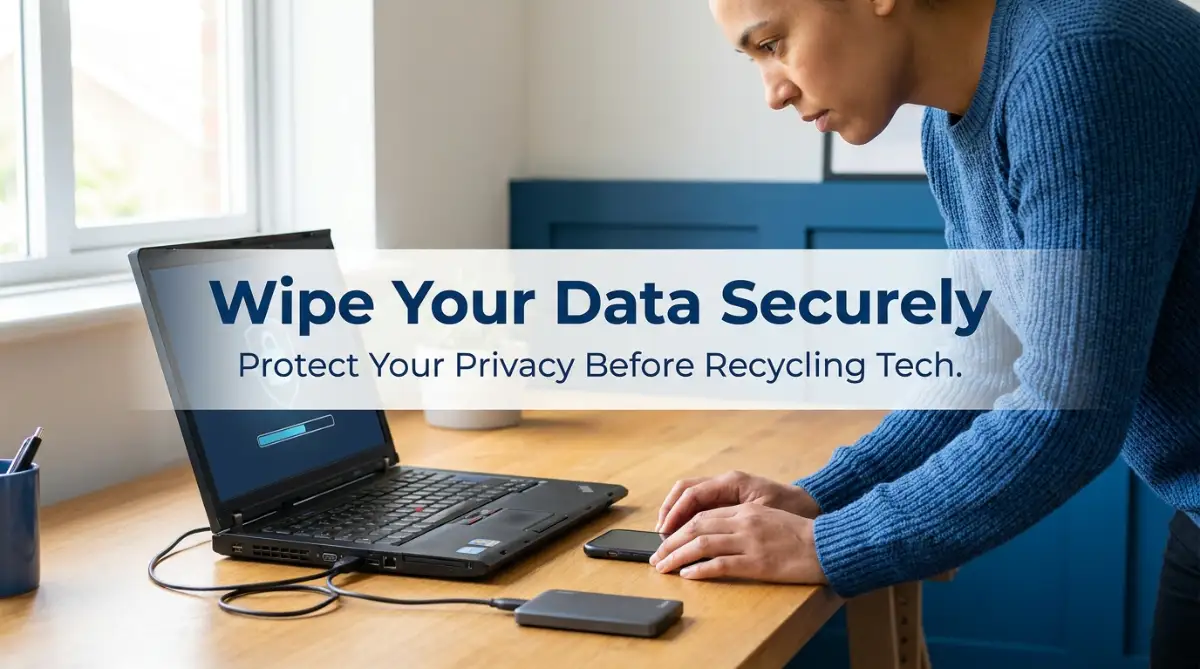
The Hidden Nightmare of Giving Away My Old Devices
I still remember the knot in my stomach when I handed my old laptop to a local recycling center a while back. I had quickly moved all my files to the trash bin, clicked empty, and thought I was completely safe. But as I walked away, a sudden wave of panic hit me out of nowhere. I kept asking myself if I had actually logged out of my bank accounts, or if my private family photos were truly gone forever.
That lingering anxiety stayed with me for weeks, making me check my bank statements every single day. I realized that my entire life was sitting inside that metal box, and I just handed it to a complete stranger.
My fear was completely justified. We live our entire lives through our screens, storing passwords, private conversations, and sensitive work documents on these gadgets. When we decide to upgrade and throw the old ones away, we rarely think about the invisible digital trail we leave behind.
Every single day, thousands of people unknowingly hand over their most intimate secrets to strangers simply because they do not know how data storage actually works. Standard deletion is a complete illusion. Hitting that delete button does not actually destroy your files.
Instead, it just hides them from your view, leaving the actual information wide open for anyone with free recovery software to find. Imagine throwing your diary into a public trash can without shredding the pages first. That is exactly what you are doing when you recycle a phone or computer without properly destroying the data.
The peace of mind you lose is simply not worth the risk. Identity theft, financial loss, and severe privacy invasions happen constantly because of improperly wiped electronics. You should never have to lose sleep worrying about who is looking at your old text messages or digging through your tax returns.
The Science of Deletion: Why Hitting Trash Is Never Enough
Before we look at the actual solutions, we need to understand exactly what happens inside your device when you delete a file. Think of your hard drive or phone storage as a massive, detailed book with a long index at the front. When you save a photo, the device writes the photo on a blank page and adds the location to the index.
When you delete that same photo, your device does not actually erase the page. That would take way too much time and processing power. Instead, it simply takes an eraser and rubs out the entry in the index.
To you, the file looks like it is gone because you can no longer find it in your folders. But the actual picture is still sitting on that page, completely untouched. It will stay there until the device naturally decides to write a brand new file over that exact same spot.
This is why anyone with basic, free software off the internet can plug into your recycled phone and rebuild your entire history. We have to force the device to scribble completely over every single page in that book. Once we overwrite the data, we finally turn those private files into unreadable, scrambled gibberish.
Pre-Wipe Preparations: Securing Your Digital Belongings
You cannot simply start erasing everything immediately. Rushing this process is how people lose their favorite memories and important work contacts forever. We must first build a safe bridge for your information to cross over to your new gadget.
First, you need to conduct a thorough audit of your digital life. Check your hidden folders, your downloads section, and those random desktop folders you named "Misc" long ago. People always forget to check their local password managers and offline cryptocurrency wallets.
Next, you need to create a double backup system to guarantee you never lose a thing. Relying on a single backup is a dangerous game. If that one backup fails, you are completely out of luck.
Use a trusted cloud service to sync your contacts, photos, and daily documents automatically. After that, grab a physical external hard drive and make a complete offline copy of your entire system. This gives you a physical safety net that you can hold in your hands.
Pro Tip from My Experience: I once lost hundreds of unique bookmarks and saved passwords because I forgot to sync my internet browser before wiping a computer. Now, my personal rule is to always log into my Google or Apple account and manually hit the 'Sync Now' button before I touch any reset options. It takes ten seconds but saves you hours of absolute frustration later.
The Mobile Device Wipe Protocol (Phones and Tablets)
Smartphones are incredibly personal. They travel with us everywhere, tracking our locations, our heart rates, and our daily habits. Getting them ready for recycling requires a very specific approach.
Breaking the Cloud Connection
The absolute biggest mistake people make is factory resetting their phone while still logged into their cloud accounts. If you do this on certain devices, the phone might actually delete the files from your cloud storage as well! You must break the invisible chain connecting your phone to the internet.
For Apple users, this means going into your settings, tapping your name at the top, and actively choosing to sign out of everything. You must turn off the tracking features like Find My iPhone. This specific action removes the activation lock, which is required if the phone is going to be recycled or refurbished.
Android users must do the exact same thing. Open your account settings and manually remove your Google account from the device. This stops the factory reset protection from kicking in and locking the phone down forever.
The Physical Purge
Do not forget the physical hardware tucked inside the device. Your phone might have a tiny memory card hidden in a side tray. Pop that tray open and remove any MicroSD cards immediately.
More importantly, take out your SIM card. Your SIM card holds your actual phone number and sometimes even your private text messages and contacts. Leaving this inside a recycled phone is like handing over your physical ID card to a stranger.
Activating the Final Reset
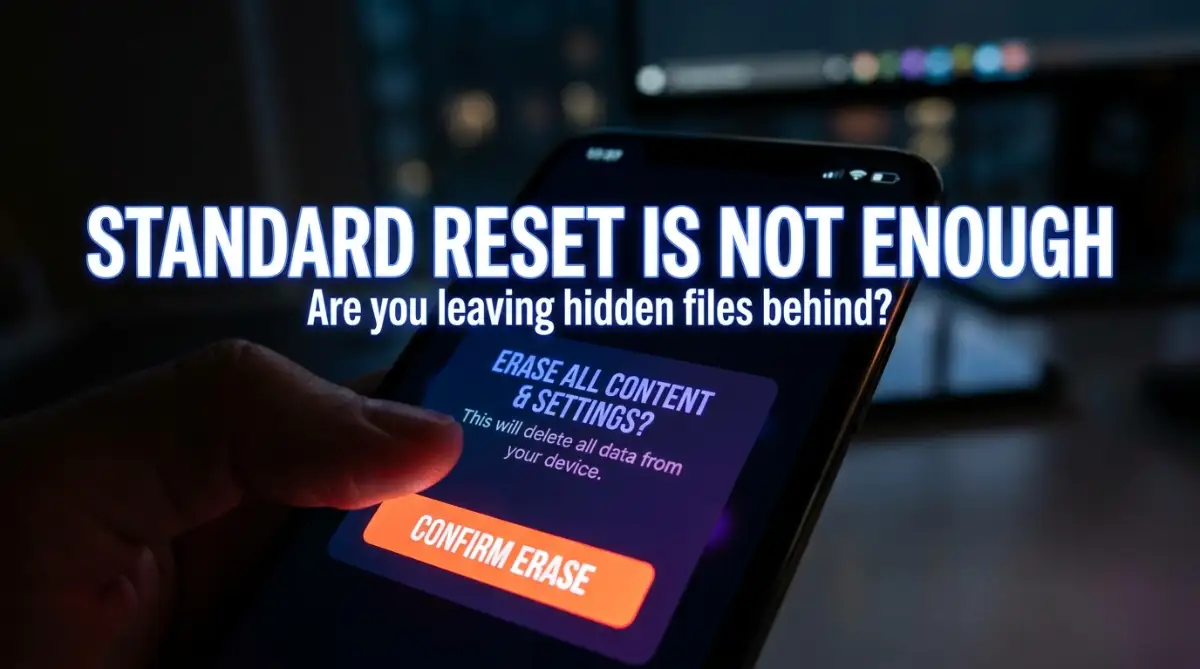
Once the accounts are disconnected and the physical cards are out, you can safely trigger the main reset. Both major mobile operating systems now use heavy encryption by default. This is wonderful news for your privacy.
When you go to your general settings and select the option to erase all content and settings, the phone throws away the unique mathematical key used to read your files. Even if a hacker tries to look at the storage later, all they will see is an unreadable mess of scrambled code. Let the phone run its course, and never interrupt it while it restarts.
Dealing with Computers: Laptops and Desktops
Computers require a bit more heavy lifting than smartphones. They have massive storage drives, complex operating systems, and years of accumulated software. We have to treat them with extreme caution.
Understanding Your Drive Type
Before you start, you need to know if your computer has an old-school Hard Disk Drive (HDD) or a modern Solid State Drive (SSD). HDDs have physical spinning metal disks inside them, kind of like a vintage record player. SSDs use modern flash memory chips with no moving parts at all.
You handle these two drives completely differently. If you try to use old software to wipe a modern SSD, you can actually damage the drive and still fail to erase your personal history properly.
The Modern SSD Approach
If you have a computer from recent years, it almost certainly has an SSD. Because of how these modern drives balance their workload, you cannot just overwrite them with standard software. Thankfully, the computer makers built special tools right into the system.
For Windows users, you will head into the update and security settings and look for the recovery options. You want to choose the option to reset the PC, and then carefully select the button that says "Remove Everything." Windows will then ask if you want to clean the drive fully. Always say yes to this, even though it takes a few extra hours to complete.
Mac users have it a bit easier thanks to their built-in disk utility. When you restart a Mac and enter recovery mode, you can open the disk utility tool. From there, you simply select your main drive volume and click erase, letting the built-in security features scramble the data instantly.
Handling the Old Spinning HDDs
If you are recycling a very old, heavy computer, it probably has a spinning hard drive. These require brute force to clean. You need to use specific data destruction software that writes random numbers over every single inch of the disk.
Tools like Darik's Boot and Nuke are legendary for this exact purpose. You put the software on a USB stick, boot the computer from it, and let it run. It will overwrite your old family photos and bank records with pure digital static, making recovery completely impossible.
The Sneaky Gadgets We Always Leave Behind
When we think about wiping data, our minds immediately jump to phones and computers. But our homes are currently filled with smart devices that secretly hoard our personal information. We constantly forget to wipe these hidden data traps before tossing them out.
Smartwatches and Fitness Trackers
Your smartwatch knows your exact daily routine. It knows where you run, what your heart rate is, and it holds copies of your private text messages. If you throw it in an electronic waste bin without resetting it, anyone who charges it up can read your notifications.
You must go into the companion app on your phone and unpair the watch first. Then, dig into the watch settings directly on its tiny screen and find the system reset option. Watch it reboot to the initial setup screen before you put it in the recycling box.
Gaming Consoles and Entertainment Systems
Video game consoles are practically high-end computers now. They store your credit card information, your home address, and your private voice messages with friends. Handing over an old PlayStation or Xbox without wiping it is a massive financial risk.
Dive into the system settings of your console and look for the initialization or system reset menus. Choose the longest, most secure format option available. It might take several hours, but it will safely scrub your payment methods away.
Routers and Smart Home Hubs
Your home internet router is the absolute brain of your digital house. It holds the password to your entire network and keeps logs of the websites you visit. Smart home hubs know exactly when your doors unlock and when your security cameras turn on.
Always find the tiny reset hole on the back of these devices. Take a paperclip, press the hidden button down for at least thirty seconds, and watch the lights flash. This forces the gadget to forget your home network and return to a blank state.
A Quick Reality Check on Data Erasure
Let us break down a few common misunderstandings people have about getting rid of their digital history.
Understanding these simple truths is the exact difference between a safe recycling process and a terrible privacy disaster. You are now equipped with the real knowledge to handle your old gadgets. We have covered the theory, the preparation, and the device-specific methods to ensure you never leave a trace behind.
Going Beyond the Basics: Pro-Level Secrets for Total Data Erasure
Getting rid of standard files is just the beginning of your digital cleanup journey. If you want true peace of mind, you need to think like a professional security expert. We are going to explore some highly advanced strategies that guarantee your private information is permanently destroyed before handing devices over.
One of the absolute smartest tricks security experts use is something called the "encrypt-then-wipe" method. Instead of just deleting your files, you actually scramble them into completely unreadable code first. You can easily do this by turning on the built-in encryption feature in your device's security settings before you even start the factory reset process.
Think of it like writing a highly sensitive letter, translating it into a completely unknown alien language, and then running it through a paper shredder. By encrypting the entire drive first, you turn all your readable tax documents, private family photos, and stored passwords into a massive, unsolvable mathematical puzzle. Even if a highly skilled hacker manages to bypass your factory reset later, they will only recover jumbled nonsense [1]. This gives you an incredible advantage over casual data thieves looking for an easy target.
The Brutal Art of Physical Drive Destruction
Sometimes, software solutions simply refuse to work for older machines. You might have an old desktop computer sitting in the garage that will not even turn on anymore. You cannot run a software wipe on a dead machine, but that absolutely does not mean the files inside are magically safe.
In these specific situations, physical destruction is your absolute best friend. You need to grab a screwdriver, open up the computer case, locate the heavy metal hard drive, and physically remove it from the machine completely. If you are unsure how to open a specific gadget safely, you can easily read up on official federal guidelines for safely disposing of electronics [1] to avoid hurting yourself.
Once you hold that metal hard drive in your hands, you have total control over your digital footprint. Many tech experts recommend putting on safety goggles, taking a heavy power drill, and driving several large holes directly through the metal casing and the spinning platters inside. This brutal action completely shatters the physical discs that hold your information, making it physically impossible for anyone to read the data ever again.
Verifying the Wipe Like a White-Hat Hacker
How do you actually know your reset process worked properly? Most people just cross their fingers, trust the loading bar on the screen, and hope for the best. However, a true privacy professional always double-checks their work before donating a laptop to a local charity.
After you format an old Windows machine or MacBook, you can actually try to hack yourself to test the security. You can download free, legal data recovery software from the internet and run a deep scan on the empty drive you just wiped. This software acts exactly like the malicious tools identity thieves use to dig up hidden files on recycled hardware.
If the recovery program scans your newly formatted drive and finds absolutely nothing, you can finally relax. You now have solid, visual proof that the wipe was completely successful. Taking this extra ten minutes to verify the empty space will help you sleep incredibly well at night, knowing your data is gone forever.
Handling Specialized Work-From-Home Equipment
Recycling a personal family computer is one thing, but getting rid of a home-office machine is entirely different. If you do freelance work, your home computer is likely full of highly sensitive client information. When you are busy learning 7 essential data entry skills to land genuine remote jobs step-by-step, you also need to master protecting that exact client data when your equipment gets old.
Many corporate contracts legally require you to destroy client data using extremely specific methods before throwing out old hardware. If you just toss a work laptop into a random recycling bin, you could face massive legal trouble for exposing corporate secrets to the public. You can easily fall victim to identifying risky traps in modern employment contracts if you fail to properly handle their hardware.
Always check with your IT department to see if they require you to follow strict government-level data sanitization standards for hardware disposal. Often, big companies will ask you to mail the raw hard drive back to them directly. Let the company handle the professional destruction if they offer it, and simply recycle the empty plastic computer shell yourself at a local facility.

The Catastrophic Pitfalls of Rushing the Process
Even with the absolute best intentions, people constantly make tiny mistakes that completely ruin their data security. Erasing electronics requires patience, focus, and a bit of logical thinking. Let us look at the absolute worst traps you must avoid at all costs.
The Broken Screen Illusion
This is easily the most dangerous myth in the entire tech world today. You accidentally drop your smartphone on the concrete, the screen goes completely black, and the glass shatters into tiny pieces. Because the phone looks dead and totally useless to you, you assume the private data inside is completely inaccessible.
You might assume the broken hardware is completely safe to toss in an open e-waste bin outside a store. This is a massive mistake that ruins lives. The actual memory chip holding your photos and banking passwords is safely buried deep inside the motherboard, completely untouched by the cracked glass on the outside.
Anyone can buy a cheap replacement screen online, plug it into your broken phone, and suddenly have full access to your entire digital life. Even if the battery refuses to hold a charge, your data remains perfectly safe inside that tiny chip. We often learn too late why leaving your phone on the charger constantly drains the battery, but a completely dead battery absolutely never means your data is dead.
Always find a way to wipe a broken device before letting it out of your sight. If you cannot fix the screen to wipe it properly, you must physically destroy the internal motherboard. Hitting the main circuit board with a hammer before handing it over to a recycling facility ensures nobody will ever rebuild it.
The "Trust the Recycler" Trap
Many big-box electronics stores and local community recycling drives promise to safely wipe your devices when you hand them over. They often put big green stickers on their collection bins claiming your data is completely secure in their hands. You should never, ever blindly trust a stranger to do this highly sensitive job for you.
These massive recycling centers process thousands of devices every single week from all over the city. Workers get extremely tired, software glitches happen constantly, and sometimes devices just slip through the cracks without ever being formatted. If your device ends up on a secondary market completely unwiped, you are the one who will directly suffer the severe consequences.
Leaving financial documents on a donated hard drive can literally lead to massive identity theft within days. Before you know it, you might be desperately reading up on understanding how to stop unwanted debt collection calls simply because someone stole your social security number from an old PC. You must always take personal responsibility for clearing your own hardware by reviewing official strict cybersecurity recommendations for mobile devices before handing anything over.
The Activation Lock E-Waste Disaster
Sometimes, trying to be too secure actually hurts the environmental recycling process. Modern smartphones have an incredible anti-theft feature commonly known as an activation lock. If a thief steals your phone and wipes it, the phone automatically demands your original cloud password before it lets anyone use the device again.
This is absolutely great for your personal theft protection, but terrible for electronic recycling. If you simply format your phone without officially logging out of your Apple or Google account first, you permanently lock the device to your identity. When the recycling center tries to refurbish the phone and give it to a low-income family, the phone will remain completely locked and entirely useless.
Because the recyclers cannot legally bypass your personal activation lock, they are forced to throw a perfectly good, working phone right into the metal shredder. You accidentally turn a reusable gadget into highly toxic e-waste just because you forgot to click "Sign Out" before hitting reset. Always disconnect your personal accounts to give your old gadgets a proper, eco-friendly second life.
Forgetting the Hidden Digital Wallets
We live in a highly modern financial era where physical cash is not the only thing we store in our homes. Many people experiment with digital currencies and store their private wallet keys directly on their computer desktops for easy access. They eventually upgrade to a shiny new laptop and completely forget about that tiny, hidden digital wallet file sitting in their old downloads folder.
If you leave an offline crypto wallet on an old device and recycle it, you could easily lose those digital assets forever. It is a much more painful and stressful situation than just figuring out fixing a stuck digital currency transfer, because the money simply vanishes into the hands of whoever buys your recycled computer parts. Always double-check every single folder for financial keys, tax software backups, and digital asset files before turning the machine off for good.
Leaving Removable Storage Behind
When we hyper-focus on wiping the internal hard drive, we often forget about the extra attachments we added over time. Old digital cameras, tablets, and even some smart TVs have tiny SD cards slotted into their sides. These tiny plastic cards often hold the most sensitive, unencrypted photos and documents in our entire house.
Never send a device to the recycling center without doing a full physical inspection of its body. Open every flap, press every tray eject button, and check every USB port for tiny wireless dongles. You would be completely shocked at how many people leave high-capacity memory cards inside their recycled gadgets, giving strangers immediate access to thousands of private files. Parents especially need to be careful about this when protecting your family from identity theft risks involving old family tablets.
Your Clean Slate Action Plan for Gadget Disposal
You have officially graduated from a casual tech user to someone who deeply understands digital privacy security. The heavy anxiety of handing over your personal electronics should now be completely gone from your mind. You possess the exact knowledge needed to protect your identity, your finances, and your family's personal privacy.
Whenever you feel overwhelmed by the entire process, just remember to take it one careful step at a time. Back up your essential memories, sign out of your personal cloud accounts, and use the built-in security tools to scramble your old storage drives. If the device fights back or refuses to turn on properly, you always have the physical destruction method in your back pocket.
You do not have to hold onto a messy drawer full of old, dusty cell phones out of fear anymore. You can finally clean up your office space, help the environment by recycling heavy metals, and feel totally confident doing it. Taking action on these simple security steps transforms a stressful, scary chore into a highly empowering experience.
Sometimes, gadgets drive us completely crazy before we finally decide to recycle them. You might be dealing with hardware that gets incredibly hot, which initially makes you want to throw it out the window. If you want to delay upgrading and give your old machine one last chance, you can always try some easy tricks for cooling down a laptop that runs too hot before you start the permanent wiping process.
My Personal Guarantee to You: I used to hoard broken laptops in my bedroom closet because I was absolutely terrified of someone stealing my old bank statements. Once I finally learned these exact wiping steps, I confidently recycled seven old devices in a single weekend, and the mental relief was absolutely incredible. You have the total power to protect your privacy right now, so grab that old phone from your drawer, wipe it clean, and take control of your digital footprint today!
Common Questions About Securing Old Electronics Before Disposal
Can a strong household magnet actually wipe my old computer drive?
Using a magnet only works on extremely old, heavy hard drives with physical spinning metal disks inside them. Modern laptops and smartphones use solid flash memory chips, which are completely immune to standard household magnets. If you run a heavy magnet over a modern phone, you will not erase a single file, so you must use the official software reset options instead.
Does a standard factory reset completely remove extremely stubborn viruses?
A proper factory reset usually deletes basic malware and annoying adware from your phone or computer. However, some highly advanced viruses can actually hide deep inside the hidden recovery partition of your hard drive. If you are recycling a heavily infected machine, removing and physically destroying the storage drive with a drill is the absolute safest choice.
Should I pull the hard drive out before giving the PC to a recycler?
Yes, keeping the physical hard drive is the absolute smartest thing you can do for your personal privacy. You can safely recycle the bulky plastic case, the broken screen, and the old keyboard at the electronic recycling center. Keep the tiny storage drive at home in a safe box, and you will never have to worry about your personal data leaking out.
What happens to my cloud files when I completely erase my mobile device?
Your cloud files remain perfectly safe on the remote internet servers when you perform a local device wipe. The reset process only deletes the copies stored physically inside that specific phone or tablet. Just make sure you actively sign out of your account before resetting, so the phone cleanly cuts ties with your online storage.
Is it safe to sell a securely wiped phone online?
Yes, it is perfectly safe to sell your old phone if you follow the correct wiping procedures. As long as you encrypt the data, sign out of all cloud accounts, remove your SIM card, and perform a full factory reset, the next buyer will only receive a blank device. Just make sure you never leave any physical memory cards inside the tray before shipping it off.
Disclaimer: The information provided in this article is for educational and informational purposes only. While every effort has been made to ensure the accuracy of these data destruction methods, technology and software features change frequently. We are not responsible for any accidental data loss, hardware damage, or privacy breaches that may occur while attempting to format or dismantle your electronics. Always ensure your important files are fully backed up to an external source before initiating any reset procedures. If you are dealing with highly sensitive corporate, medical, or government data, please consult a certified IT professional or a specialized data destruction service to comply with all legal regulations.